Your parents want to be at every game, every recital, every school thing. The hard part isn't convincing them to show up. It's getting the schedule to them in a way that actually works.
The Real Problem Isn't Your Parents
Let's be honest. The reason grandparents miss events isn't because they can't figure out technology. It's because the tools we've been using to share schedules are genuinely terrible.
Think about it. You've got events scattered across three different apps, two email threads, and a group text that scrolls back forty messages. Half the time you can't find the right time for Saturday's game, and you're the one who entered it. So when Grandma shows up at 10 instead of 11 because the time changed last Tuesday and you forgot to send an update, that's not a Grandma problem. That's a workflow problem.
The tools are broken. Not the people.
Why the Usual Approaches Fall Short
Most families end up trying one of these. None of them work great.
Texting screenshots of your calendar or sports app
This is the big one. You take a screenshot of your calendar, or the team schedule from GameChanger or TeamSnap or whatever app your league uses, crop out the stuff that isn't relevant, and text it to whoever needs it. It works in the moment, but the second anything changes, that screenshot is useless. Now you're sending another one. And another. And if you forget to send the update, someone's showing up at the wrong time or the wrong place.
And when the schedule lives in a sports app, it's even worse. Half the family doesn't have the app installed. The ones who do have it can never find the right team or the right season. So you end up screenshotting the schedule out of the sports app and texting it around anyway. You've basically become the middleman between an app and your family's group chat.
It's a lot of manual work, and it puts all the responsibility on you to keep everyone current.
Creating a shared Google or Apple calendar
To be fair, you can create a separate calendar in Google or Apple specifically for the stuff you want to share. You make a new calendar called "Kids Activities" or whatever, add the relevant events to it, and share that calendar with your parents. They don't see your main calendar, just the shared one.
This works. But in practice it's pretty clunky. You're now maintaining two calendars. Every time you add a kids event to your main calendar, you have to remember to also add it to the shared one. Or you put it only on the shared calendar and now your own schedule view is missing stuff. Either way you're double entering events or juggling which calendar something belongs on.
And it gets worse when you want to share different things with different people. Grandparents want the kids' sports and school events. The babysitter just needs the evenings you're going out. The carpool parents only need drop-off and pickup times. That's three separate calendars you have to create, maintain, and keep in sync — on top of your actual calendar. Every new person or group you want to share with means yet another calendar to manage. It doesn't scale. What starts as a simple idea quickly turns into a part-time job of copying events across calendars and hoping you didn't miss one.
It's doable for one audience. But the moment your sharing needs grow even a little, the whole system falls apart.
Asking everyone to download the same app
Some family calendar apps work well once everyone's on them. The problem is getting everyone on them. Every new app means a new account, a new password, a new thing to check. That's a real ask, especially for someone who already has a calendar system that works for them. It's not that they can't learn a new app. It's that they shouldn't have to just to see when your kids have soccer.
What Would Actually Work
If you could wave a magic wand, the ideal setup would look something like this:
- You keep using whatever calendar you already use
- Grandparents keep using whatever calendar they already use
- The grandkid stuff just shows up on their calendar automatically
- When things change, their calendar updates on its own
- The people you're sharing with don't have to download anything new or create any accounts
That's the whole wish list. And that's exactly what Capacitly does. You download one app and set up the shares. Everyone on the receiving end just gets a calendar link that works with what they already have.
How Capacitly Makes This Simple
Here's the quick version of how it works.
You connect your existing calendar to Capacitly. Google Calendar, Apple Calendar, Outlook, whatever you use. All your events are right there.
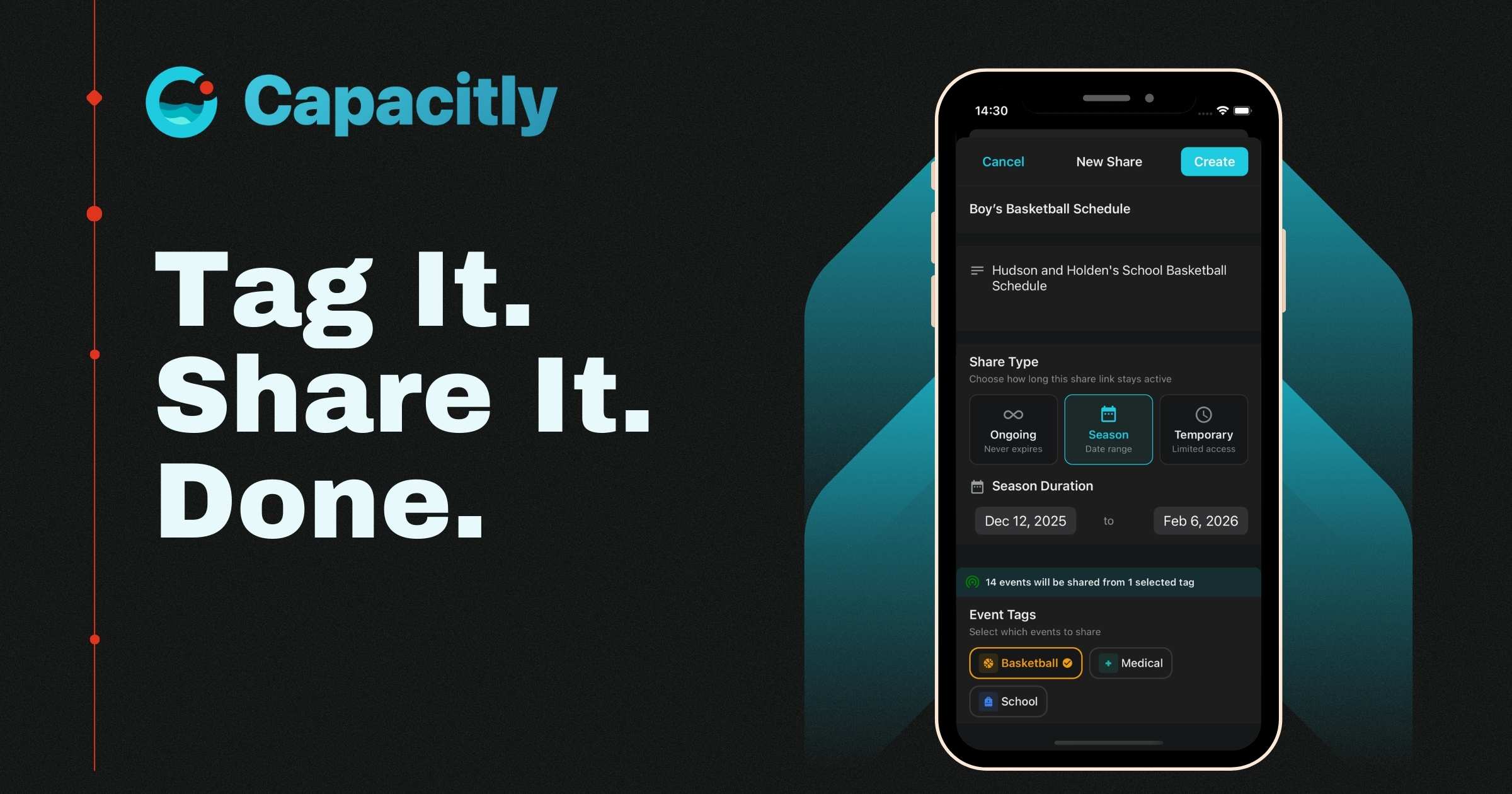
Then you tag your events. You can create tags like "kids sports" or "school events" or "grandparent stuff" or whatever makes sense for your family. Tag the events that your parents would want to see.
Then you create a share link that includes just those tags. You text or email that link to your parents one time. They tap it, their phone asks if they want to subscribe to the calendar, they say yes, and that's it. Done.
From that point on, every event you tag for them shows up on their calendar automatically. If you change a game time, their calendar updates. If you add a new recital, it appears. They don't have to do anything. It just works.
What It Looks Like for Grandma and Grandpa
Let's walk through their experience because it's genuinely simple.
- They get a link from you (text, email, however you want to send it)
- They tap the link from their phone
- Their calendar app opens and asks "Subscribe to this calendar?"
- They tap yes
Four steps. No app to download. No account to create. No password to remember. The events just start showing up in whatever calendar app they already use on their phone.
If they use Apple Calendar on their iPhone, it shows up there. If they use Google Calendar on their Android, it shows up there. It works with Outlook too. Whatever they've already got, it just fits right in.
And because it's a live calendar feed, not a static screenshot or a one time share, it stays current. You update something on your end and their calendar reflects it automatically.
You Get to Control What They See
This is the part that really matters for most families. You probably don't want to share your entire calendar with your parents. And that's completely reasonable.
With Capacitly, you choose exactly which tags to include in each share link. So Grandma and Grandpa might get "kids sports" and "school events" but not "work meetings" or "date night." The babysitter might get just the evenings you need covered. Your sister who's helping with carpool might get "school pickup" and nothing else.
Everyone sees exactly what's relevant to them. Nothing more, nothing less. You set it up once and it runs on its own.
No More Being the Family Scheduling Switchboard
Here's the thing that nobody talks about. When you're the one texting screenshots and forwarding schedule updates and answering "what time is the game Saturday" texts from four different people, you've accidentally become the family's central scheduling dispatcher. That's a real mental load, and it adds up.
Capacitly takes you out of that loop. Once everyone has their share link, the information flows automatically. You're not the bottleneck anymore. You update your calendar like you normally would, and everyone who needs to know just knows.
That's less stress for you and fewer missed events for everyone else.
It Works With What Everyone Already Has
The thing that makes this actually practical for real families is that nobody has to change their setup. You don't have to convince anyone to switch calendar apps. You don't have to teach anyone a new system. You don't have to manage another family group chat.
Everyone keeps using the calendar they already know. Capacitly just connects the dots between them.
Your parents want to be involved. They want to be at the games and the concerts and the school plays. Making that easy shouldn't require a family IT project. It should just work.
Try Capacitly and give your family a better way to stay on the same page.
Capacitly. Your calendar. Your rules.