All Grandma needs is the game time and where to bring her lawn chair. She doesn't need your Monday morning standup or that surprise party on her calendar too.
Every Sports Parent Has Been Here
Your kid plays soccer. Or baseball. Or is learning piano. Or all three because apparently you hate free time.
Schedules change all the time. Practices get rained out, games get rescheduled, and tournament updates drop at the last minute. Keeping everyone in the loop usually means texting screenshots or forwarding calendar invites one at a time. It works, but it's tedious, and someone always gets missed.
Most people would rather just share the relevant events automatically. But the usual calendar tools make that harder than it should be.
The Sharing Problem
Calendar apps weren't really built with this use case in mind. They assume you either want to keep your schedule private or share the whole thing. There's no built in way to say "just show them the soccer games."
So most parents improvise. Some text screenshots around, which works until the schedule changes and the screenshot doesn't. Others set up a second shared calendar just for kids stuff, which means double entering events or constantly remembering which calendar to put things on. Both approaches technically get the job done, but they add friction every single week.
What You Actually Need Is Dead Simple
If you sat down and wrote out what you really want, it would probably look like this:
- Pick the specific events you want to share
- Send them to the people who need to see them
- Have everything update automatically when things change
- Don't make anyone download a new app or create an account
That's the whole list. It's not complicated. The tools just haven't caught up until now.
How Capacitly Solves This in About Five Minutes
This is exactly what Capacitly was built for. Here's how it works.
Connect your calendars. Google Calendar, Apple Calendar, Outlook, whatever you use. Capacitly pulls them into one view so you can actually see your whole week without bouncing between apps. Got sports schedules stuck in a team app that doesn't talk to anything else? Add those events to Capacitly and now they live alongside everything else instead of being trapped in some app only you can see.
Tag your events. Once everything's in one place, you tag it. "Soccer." "Baseball." "School stuff." Whatever categories make sense for your family. You decide how to organize it.
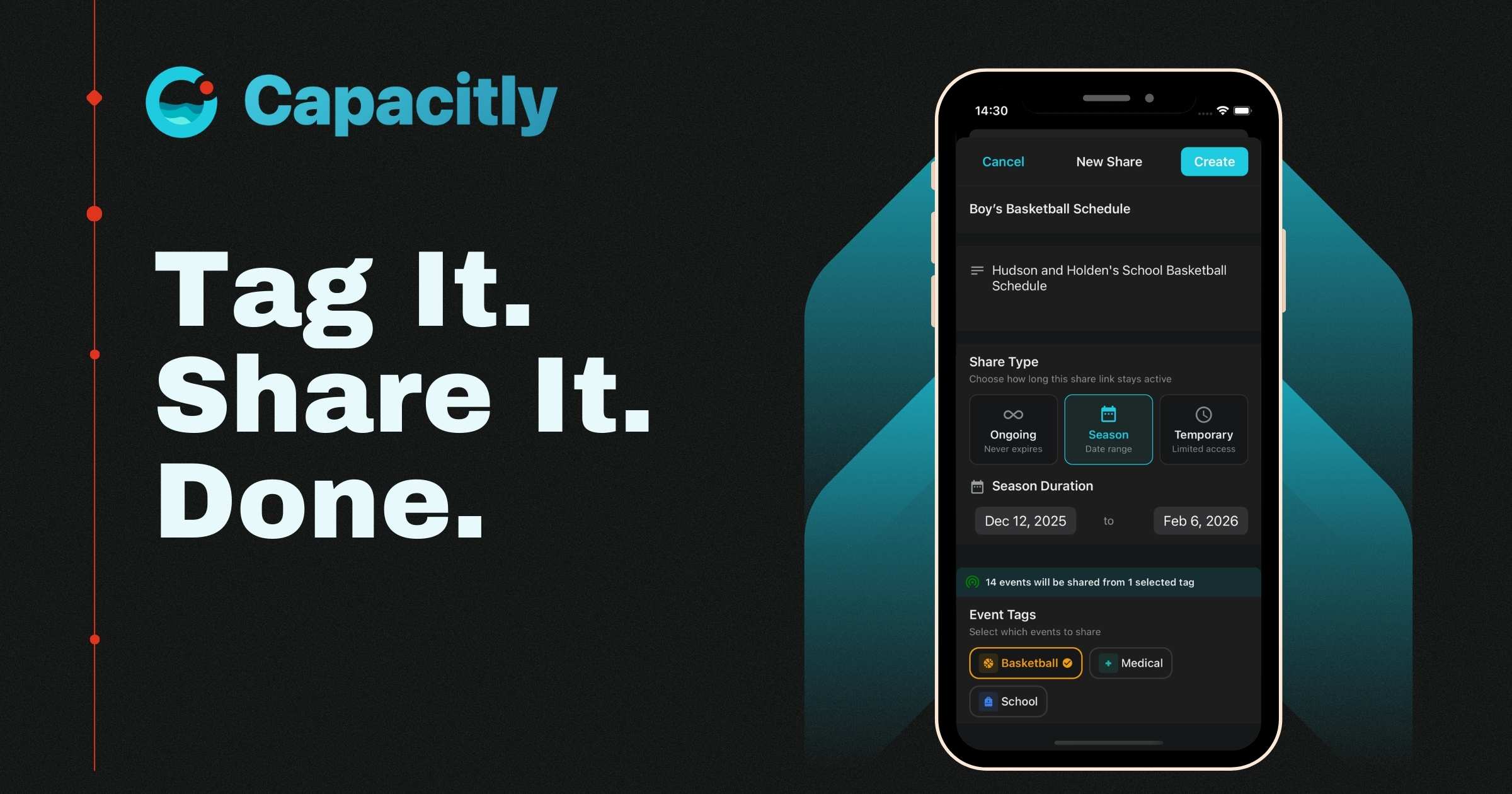
Create a share for each person or group. You pick which tags to include in each share. Grandma gets all the grandkid activities. The babysitter gets just the evenings you need covered. The carpool parent gets practice times only. Everyone gets exactly what they need to see and nothing they don't.
It updates automatically. When the coach moves Saturday's game from 10 AM to noon, you update it once. Everyone who has a share that includes that event sees the change on their calendar automatically. No group texts. No "hey just FYI" messages. No forgetting to tell one person and having them show up two hours early with camp chairs and snacks.
Nobody needs to download anything. The people you share with get a simple calendar link that drops right into whatever app they already use. Google Calendar, Apple Calendar, Outlook, you name it. They tap subscribe and the events just show up. No account. No app. No password.
What This Looks Like for a Real Family
Say you've got two kids. Your oldest plays soccer and your youngest plays baseball. There's also a family reunion coming up this summer and Grandma and Grandpa wouldn't miss it for the world.
For Grandma and Grandpa: You create a share with the tags "baseball," "soccer," and "family events." They see every game and the reunion details. They don't see your work calendar, your grocery runs, or the surprise party you're planning for Dad's birthday.
For the baseball carpool parent: A share with just "baseball." They see games and practices. That's it.
For the babysitter: A share tagged with the specific evenings you need covered. They see exactly when you need them and nothing more.
For the aunts and uncles helping plan the reunion: Just the "family events" tag.
One calendar. Multiple shares. Everyone sees what's relevant to them. Nobody's scrolling past your Monday morning meetings.
No New Apps for Anyone Else
The people you share with don't need to sign up for anything. They get a calendar link, tap subscribe, and the events show up in whatever app they already have on their phone. That's it. No onboarding your parents onto a new platform. No tutorial for the babysitter. One link and they're good.
You Shouldn't Have to Overshare to Share
The whole point of selective sharing is that you pick what goes out and what stays private. Your work meetings, your anniversary dinner, your weekend plans? Those stay on your calendar and yours alone. The soccer tournament schedule goes to the people who need it. Capacitly keeps those two worlds separate, and you can pull back any share link whenever you want.
Get Out of the Middle
If you're the one who always knows the schedule, you're also the one everyone texts when they forget it. That means you're relaying the same information to multiple people, multiple times a week, and re-relaying it whenever something changes.
With Capacitly, that cycle stops. You set up each person's share once, and from then on the calendar does the communicating for you. Schedule changes flow out automatically. Nobody needs to ask you, and you don't need to remember who you told.
The Setup Takes Five Minutes. The Payoff Lasts All Season.
Connect your calendars, tag your events, and send each person a share link. That's the whole process. After that, every schedule change you make reaches the right people on its own. No follow up texts. No "did I tell them about Saturday?" You just manage your calendar and let Capacitly handle the rest.
Try Capacitly and take yourself out of the scheduling loop.
Capacitly. Your calendar. Your rules.